
Bookmark this page for quick reference
A subscription cancellation checklist records every step involved in ending a recurring household service, from locating account access to confirming the cancellation in writing.
Having a written process for cancellations prevents missed steps, such as failing to record a confirmation number or forgetting to update a payment method after an account is closed.
The same checklist can be worked through once per service when canceling several subscriptions at the same time.
What This List Is For:
This list helps you work through and document each action taken when canceling a household subscription.
📄 Looking for more lists like this one? The Home Management Binder is a ready-to-print system covering every area of your home in one organized place.
This sheet is often kept in the Finance Section of a home management binder, so important household information is easy to access.
What Is A Household Binder?
A household binder is a single reference point for the lists and information you use repeatedly to manage your home. For a full overview of how the system works, visit our household binder guide.
Below are the details typically included on this type of subscription cancellation checklist.
Steps to Include in a Subscription Cancellation Checklist
1. Subscription Identification
Before beginning the cancellation process, confirm which subscription is being canceled and verify the current account details.
This step is especially useful for households with multiple subscriptions under similar names or those managed across different email addresses.
Locating the correct account at the start prevents confusion mid-process — particularly when a service is linked to a shared household account.
- Full service or subscription name
- Provider or company name
- Email address the account is registered under
- Account username or ID
- Billing name on the account
- Location of login credentials (password manager, binder, or stored note)
Confirming these details before starting the cancellation ensures the correct account is being closed.
2. Reason for Cancellation
Recording the reason for cancellation provides useful context if the service is ever reconsidered or if a billing dispute arises later.
Some providers ask for a cancellation reason as part of the process, and having a clear note avoids having to recall this detail months later.
This section is also useful when reviewing household subscriptions annually alongside an annual subscription renewal checklist.
- Primary reason for cancellation (cost, usage, duplicate service, etc.)
- Date the decision to cancel was made
- Household member who approved the cancellation
- Whether the service was actively used at time of cancellation
- Alternative service arranged, if applicable
- Notes on any previous attempts to cancel or pause
A brief cancellation reason makes the record more useful if the same service is reconsidered in the future.
Want a Ready-Made Version?
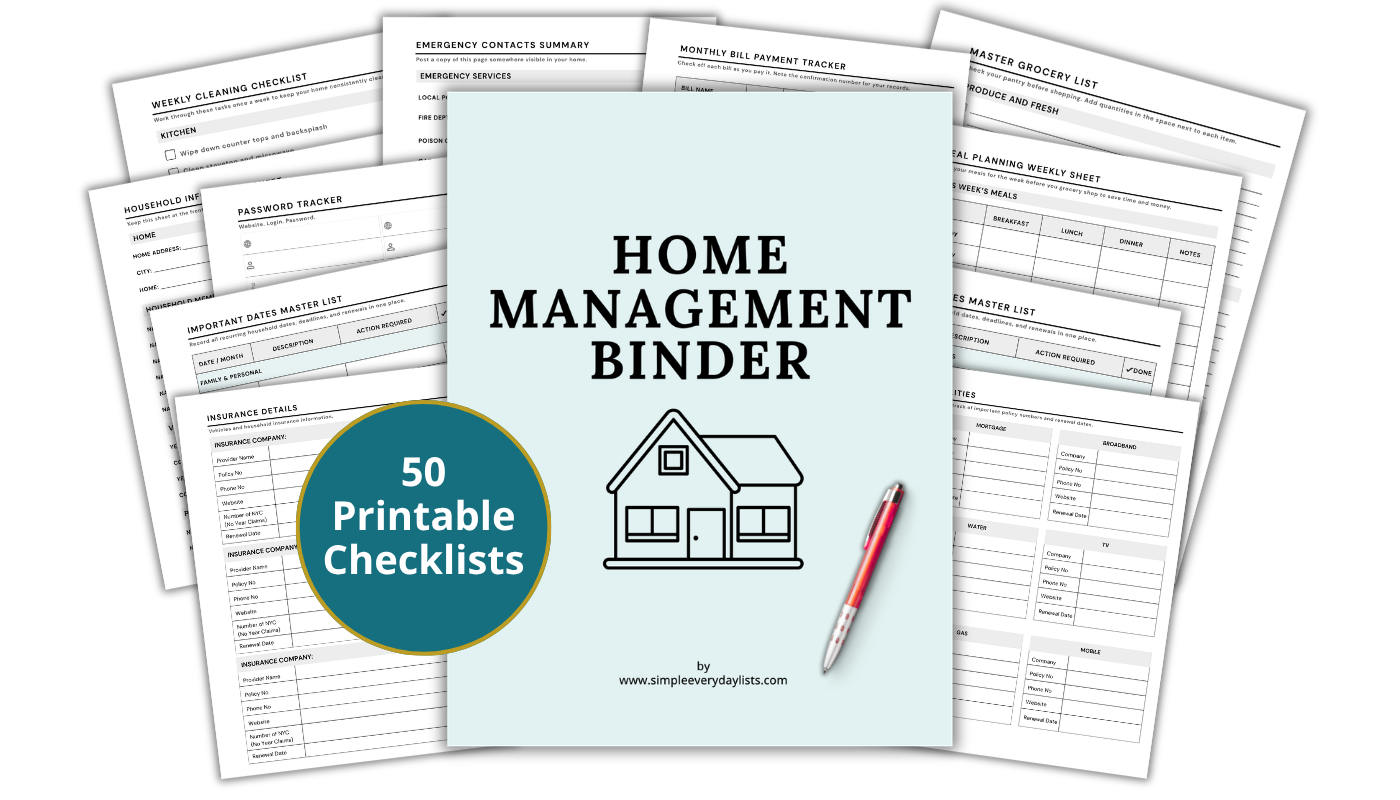
The Home Management Binder is a 50-page printable system covering every area of your household — bills, contacts, seasonal tasks, and more. Print once, use for years.
Learn more about the binder...3. Current Billing Status
Before canceling, review the current billing status to understand where the account stands in its billing cycle.
Canceling at the wrong point in a billing cycle can result in an unexpected charge, or in some cases, a partial charge that is not refunded.
Understanding the billing status at the point of cancellation helps set accurate expectations for final charges.
- Current billing cycle start and end date
- Next scheduled payment date
- Amount due at next billing date
- Whether a payment has recently processed
- Promotional or discounted rate in effect
- Annual or monthly billing interval
Reviewing the billing status before canceling avoids surprises on the next bank or card statement.
4. Cancellation Method
Different providers use different cancellation processes, and this section records the exact method used to cancel the specific subscription.
Some services require cancellation through an account dashboard, while others require a phone call, email request, or live chat.
Noting the cancellation method creates a clear record of how the account was closed, which is useful if the provider later disputes the cancellation.
- Cancellation method used (website, phone, email, live chat, app)
- Direct link or path to cancellation page, if applicable
- Phone number called, if cancellation was completed by phone
- Representative name or call reference number, if available
- Date and time the cancellation was initiated
- Screenshot or copy of cancellation confirmation page saved
A complete record of the cancellation method provides evidence that the correct process was followed.
5. Cancellation Confirmation Details
After completing the cancellation, record the confirmation details provided by the service.
Most providers issue a confirmation email or reference number, and keeping this on file provides proof that the cancellation was processed.
These details become important if a charge appears after the cancellation date or if the provider claims the account is still active.
- Cancellation confirmation number or reference code
- Date confirmation was received
- Email address confirmation was sent to
- Copy of confirmation email saved or printed
- Provider’s stated end date for service access
- Note on where confirmation is stored (email folder, binder, file)
Storing the cancellation confirmation alongside this checklist creates a complete record in one place.
6. Access End Date and Final Service Use
Recording when account access ends prevents the household from being charged for a period in which the service is no longer accessible.
Some services end access immediately upon cancellation, while others allow access through the end of the current billing period.
Noting the final access date is particularly relevant for services used regularly, where the household may need to make alternative arrangements.
- Date account access is scheduled to end
- Whether access continues through the current billing period
- Final login date recorded
- Any content, data, or files that need to be downloaded before access ends
- Linked devices or platforms that will lose access
- Household members notified of access end date
Documenting the access end date avoids confusion about when the service will no longer be available.
7. Payment Method Update
Canceling a subscription does not always automatically remove the associated payment method from the provider’s system.
This section records whether the payment card or bank details were removed from the account after cancellation.
Updating payment records is also important when the canceled subscription was linked to a card that is still in use for other services.
A subscription tracker can help identify which remaining services are billed to the same card.
- Payment card or bank account previously linked to this subscription
- Whether payment details were removed from the provider’s account
- Date payment method was updated or removed
- Last four digits of card previously used
- Confirmation that no further charges are authorized
- Note if a different payment source was used for any final charge
Removing payment details after cancellation reduces the risk of unauthorized charges on a stored card.
8. Refund or Credit Details
Some cancellations result in a partial refund, account credit, or pro-rated adjustment, depending on the provider’s policy.
This section records any refund expected, the amount, and where it will be returned.
Tracking this information is useful when reconciling bank or credit card statements in the weeks following cancellation.
- Refund amount expected, if applicable
- Refund method (original payment card, bank account, account credit)
- Expected refund timeframe stated by the provider
- Date refund was received and confirmed
- Whether a pro-rated adjustment was applied
- Notes on any disputed charges related to the cancellation
A refund record prevents the expected credit from being overlooked when reviewing monthly statements.
9. Linked Accounts and Connected Services
Some subscriptions are connected to other accounts, apps, or services within the household.
Canceling the primary subscription may affect access to connected platforms, bundled services, or shared family accounts that depend on it.
This section lists any linked accounts or services that need to be reviewed or updated following the cancellation.
- Other services bundled with this subscription
- Apps or platforms that require this subscription for access
- Family or shared accounts connected under this plan
- Devices that were registered or authorized through the account
- Any service downgrade options reviewed before cancellation
- Follow-up actions required for connected accounts
Noting these connections ensures no linked service is unintentionally disrupted when the subscription ends.
10. Post-Cancellation Record Update
Once the cancellation is confirmed, the household’s subscription records should be updated to reflect the closed account.
This step keeps the overall subscription tracking system accurate and prevents a canceled service from appearing as active on future reviews.
Each entry here corresponds to records held elsewhere in the household system.
- Subscription tracker updated to show canceled status
- Cancellation date added to the record
- Monthly budget or expense list updated to remove recurring cost
- Annual subscription checklist updated
- Filing location for cancellation confirmation noted
- Date of final record update recorded
Updating household records after cancellation keeps the subscription list current and prevents confusion at the next annual review.
Summary
A subscription cancellation checklist documents every action taken when ending a recurring household service, from confirming account details through to updating payment records and household lists.
Working through each step at the time of cancellation avoids gaps in the record — such as a missing confirmation number or an unresolved refund — that can be difficult to follow up on later.
This checklist works alongside the subscription tracker and annual subscription renewal checklist to keep the full subscription management system complete.
For a ready-made system that brings all of these lists together, the Home Management Binder includes printable pages for tracking, reviewing, and recording household subscriptions in one organized place.
Ready to set up the full system?
The Home Management Binder includes 50 formatted, print-ready checklists covering household finances, contacts, seasonal tasks, and everything in between - organized and ready to use.
Learn more about the Home Management Binder